

Control Structure: Selection
Flow Type: Instant Cloud Flow
Go to Power Automate Template, search ‘send approval and follow up via teams’, then click the 1st template for approval process or 2nd template for look at the adaptive card with Ninja Cat image.

For 1st template > Click ‘Continue’ > Click ‘Create’ then the flow is ready to test
For 2nd template > Click ‘Continue’ > Click ‘Save’ then the flow is ready to test
Test the flow
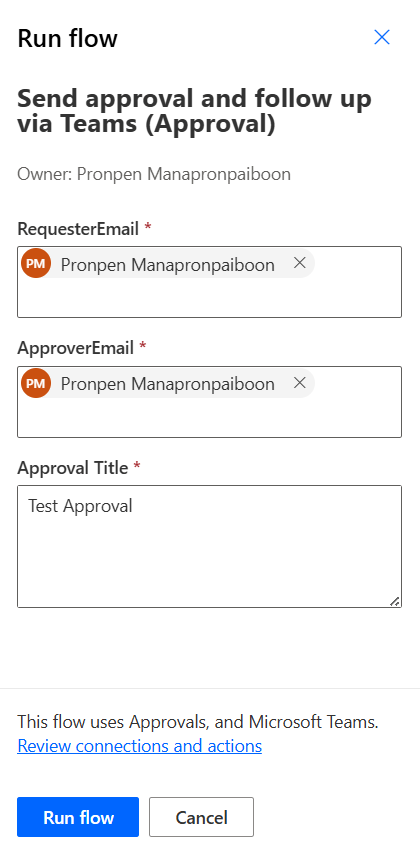
Run the flow, input ‘RequesterEmail’, ‘ApproverEmail’ and ‘Approval Title’ then click ‘Run Flow’
Ask approver to click approve button.

Power Automate will send adaptive card to requester.
Below image is the result for 1st template and 2nd template respectively.


 PenBot_RPA
Leave a comment