

Control Structure: Iteration
Flow Type: Automated Cloud Flow
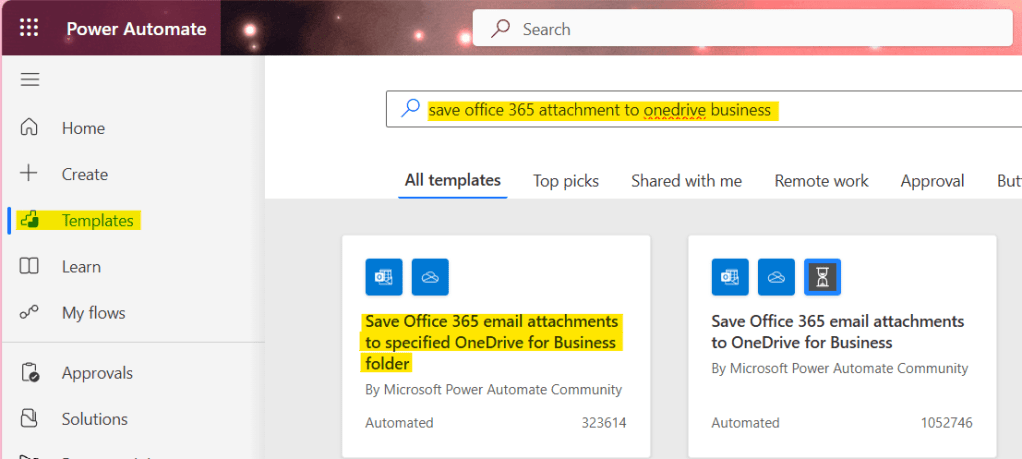
Go to Power Automate Template, search ‘save office 365 attachment to onedrive business’, then click the template ‘Save Office 365 email attachments to specified OneDrive for Business folder’
Edit condition as per your requirements for this article we will looking for the ‘Subject mail’ which contain word ‘RESUME’ or ‘CV’ so we write the expression at left hand side as per below image and code block.
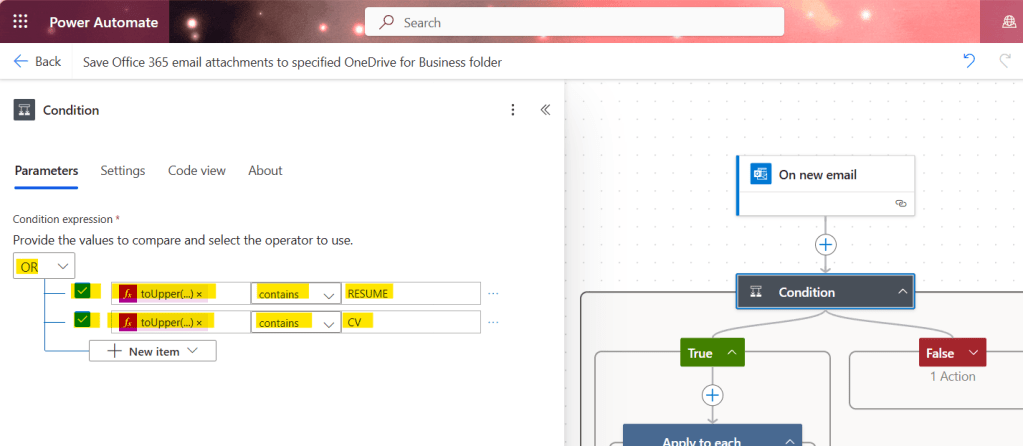
Left hand side expression:
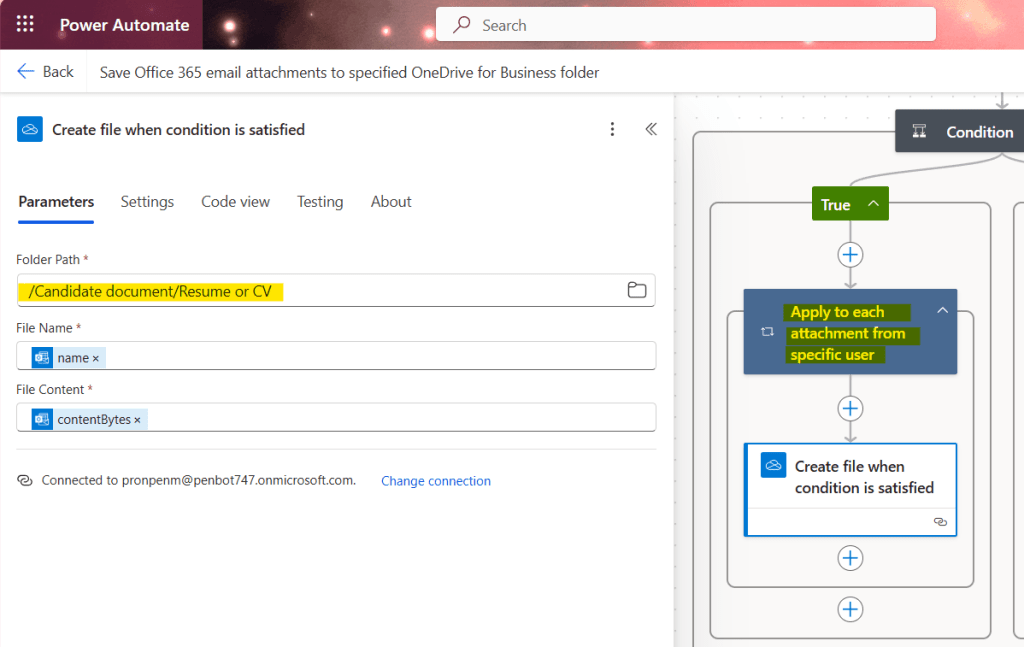
toUpper(triggerOutputs()?['body/subject'])Select ‘Folder Paths’ in true condition.
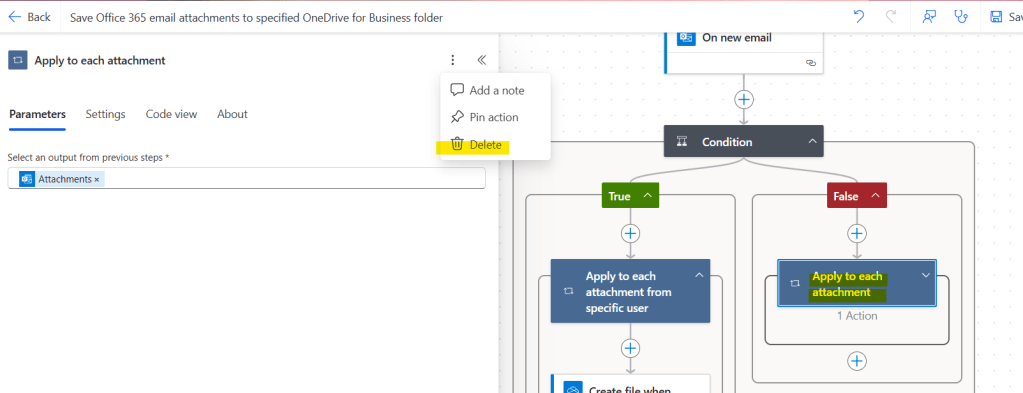
Delete the action in the false condition because I don’t want it to create any files if the condition does not match the above expression.
Test the flow
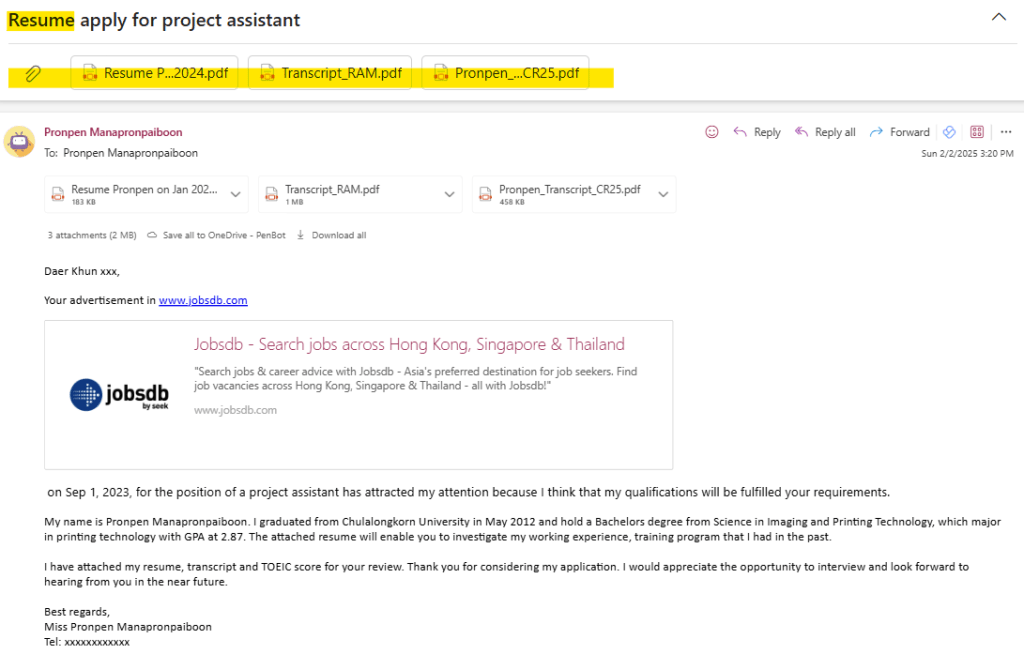
Run flow, and send mail with attachment and the subject mail contain word as per above true condition.
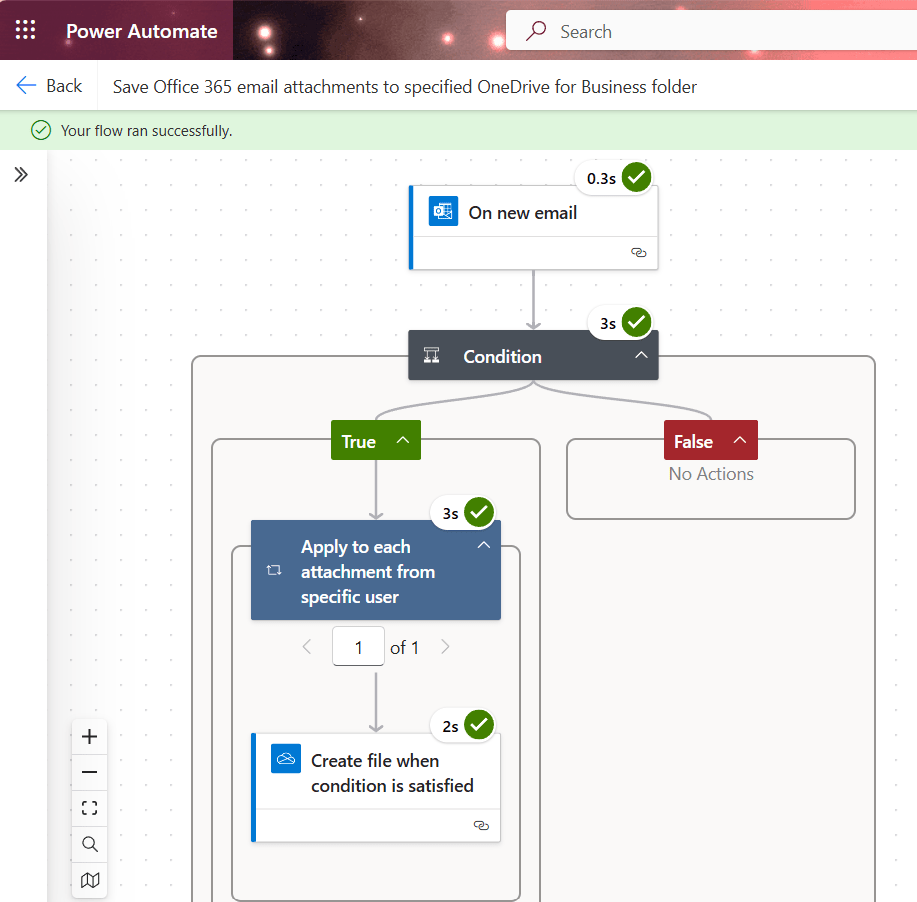
Flow run success


Leave a Reply