

To use coinmarketcap API in Power Automate Cloud
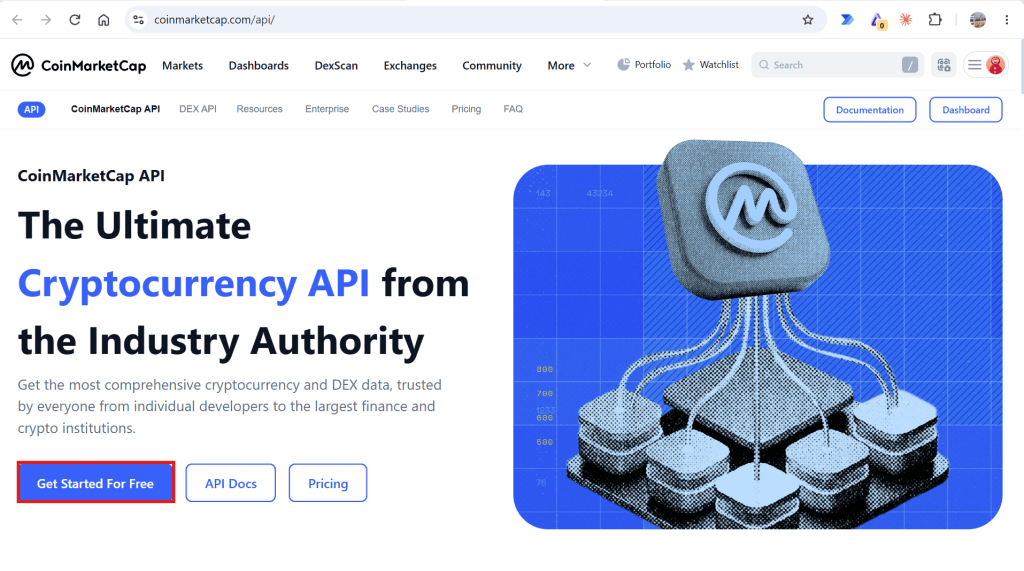
- Open https://coinmarketcap.com/api/ and click “Get Started for free”
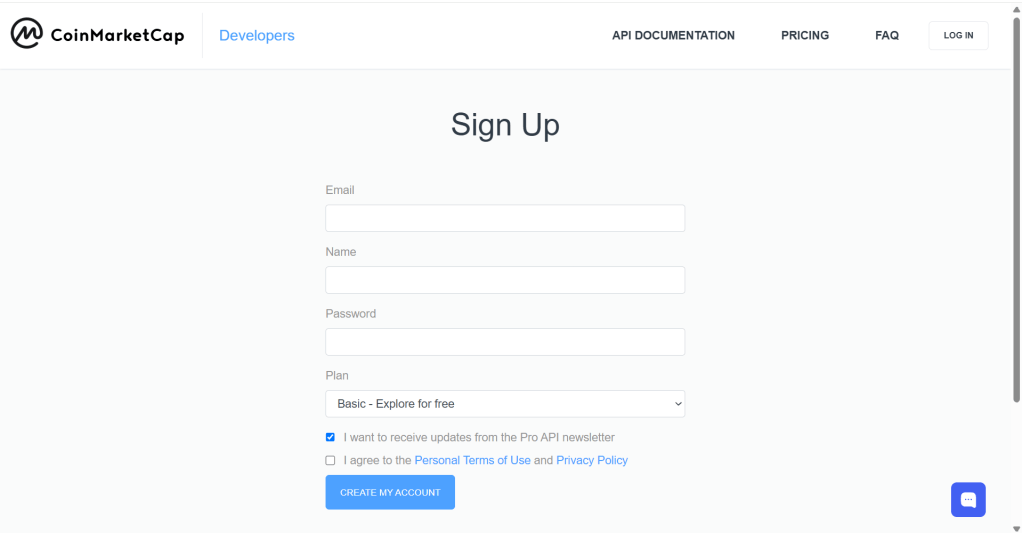
2. Sign up and verify your account
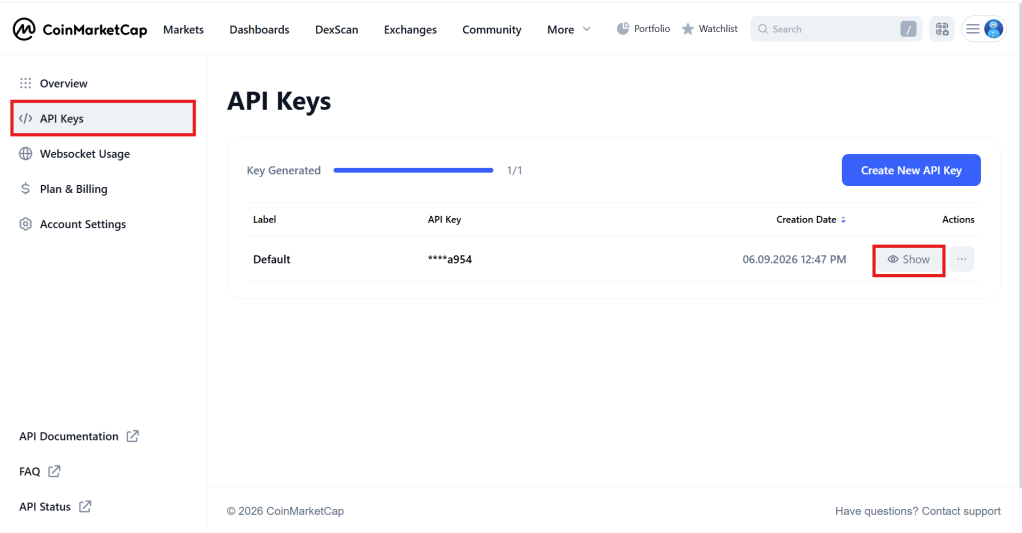
3. Go to “API Keys” and click show
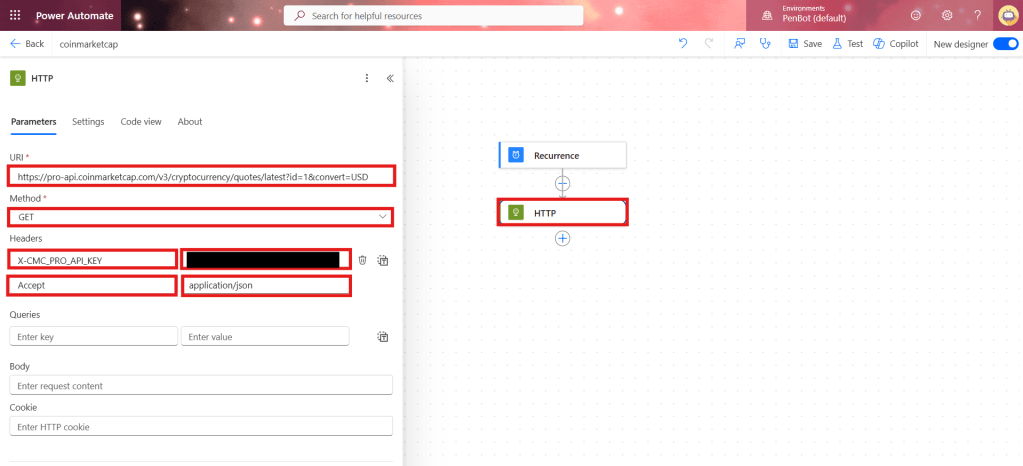
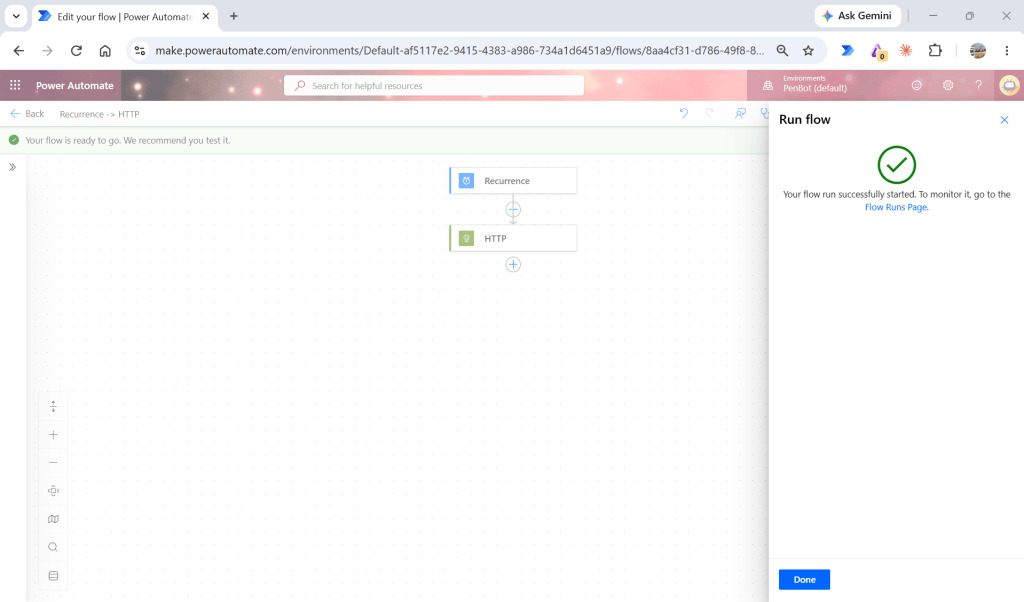
4. Create Power Automate Cloud flow and test HTTP action
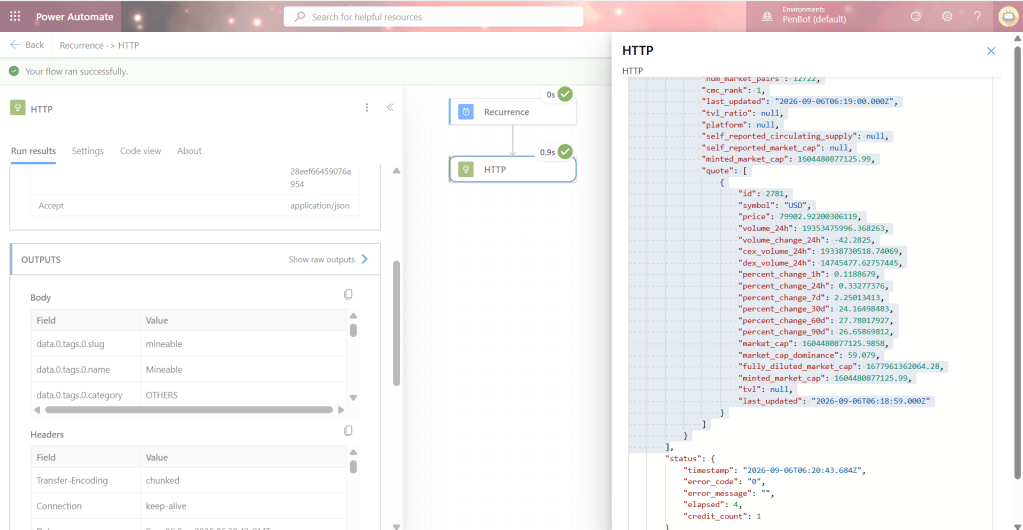
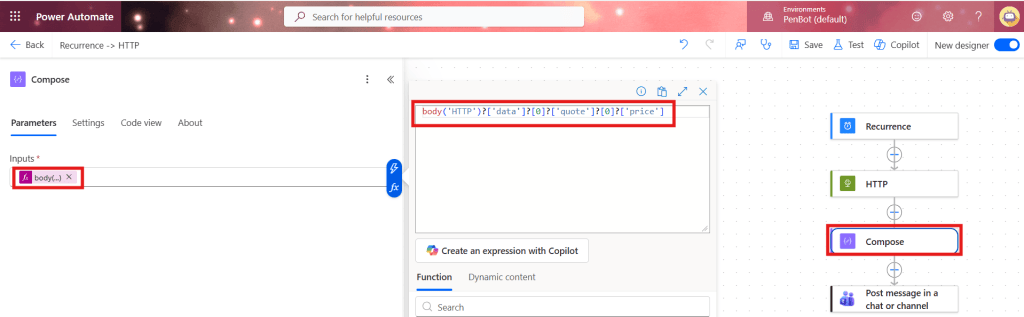
5. Add compose action as per below code block
body('HTTP')?['data']?[0]?['quote']?[0]?['price']
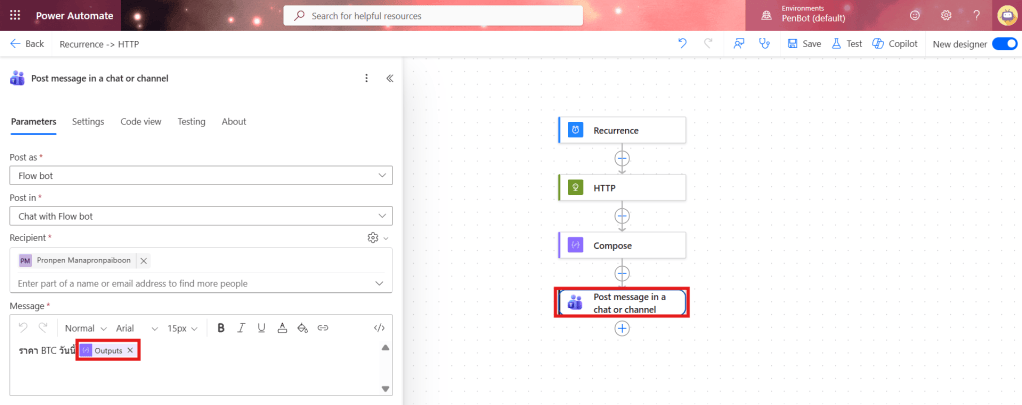
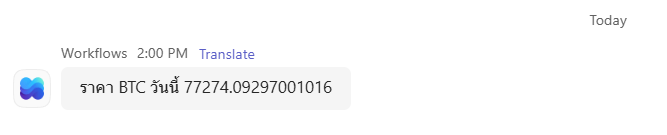
6. Add post message in a chat or channel
 PenBot_RPA
Leave a comment