

บทความนี้จะเขียนเรื่องการใช้ instant cloud flows โดยใช้ trigger ‘Manually trigger a flow’.
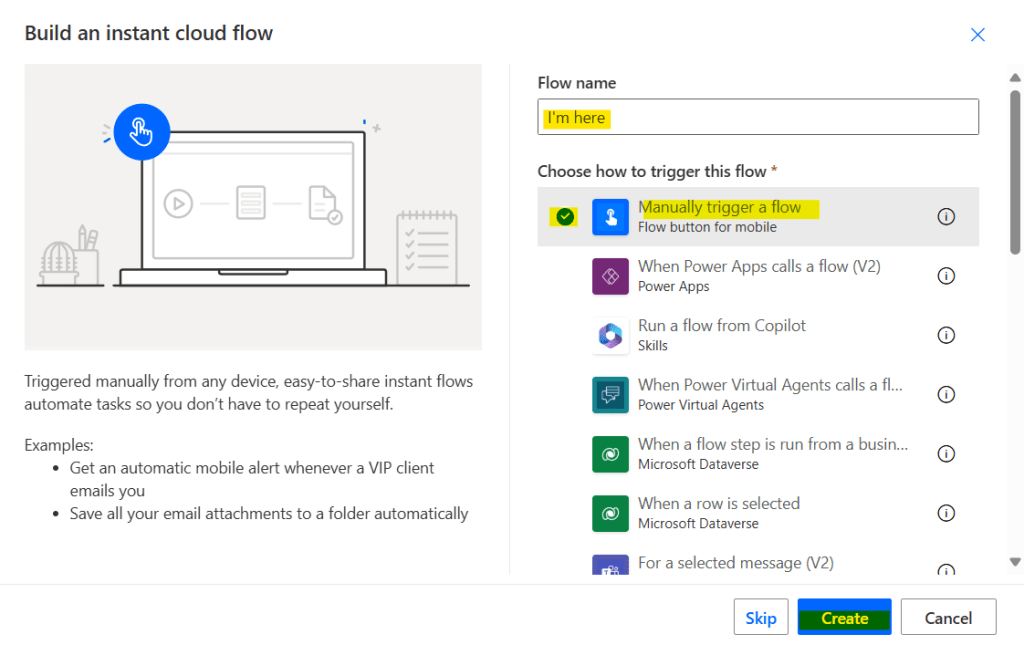
ตั้งชื่อโฟลว์, เลือก trigger แล้วกดปุ่ม create
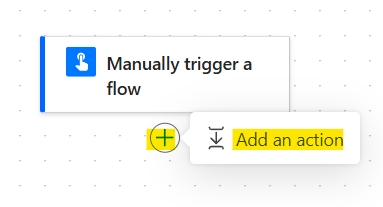
กดเครื่องหมาย + แล้วกด add an action
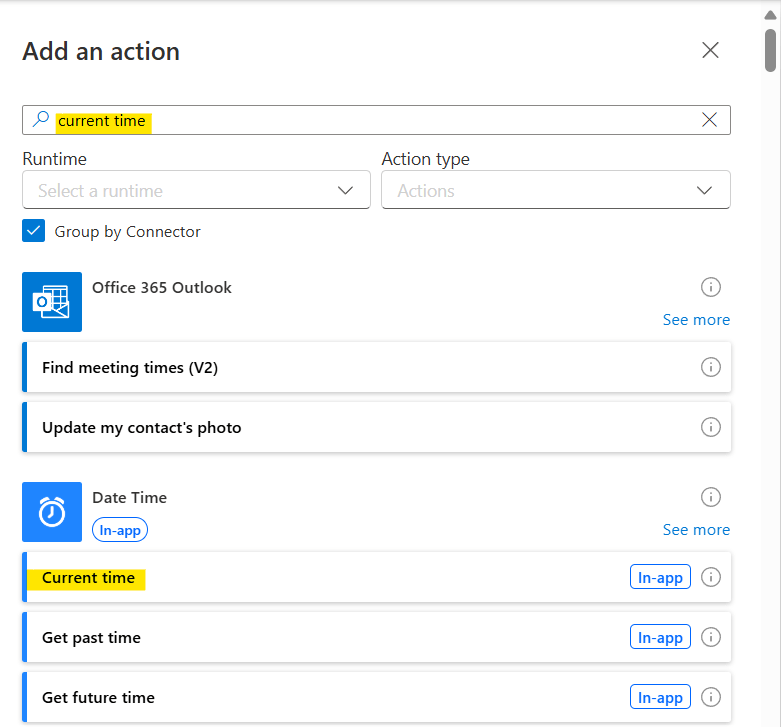
ค้นหา action ชื่อ ‘Current time’
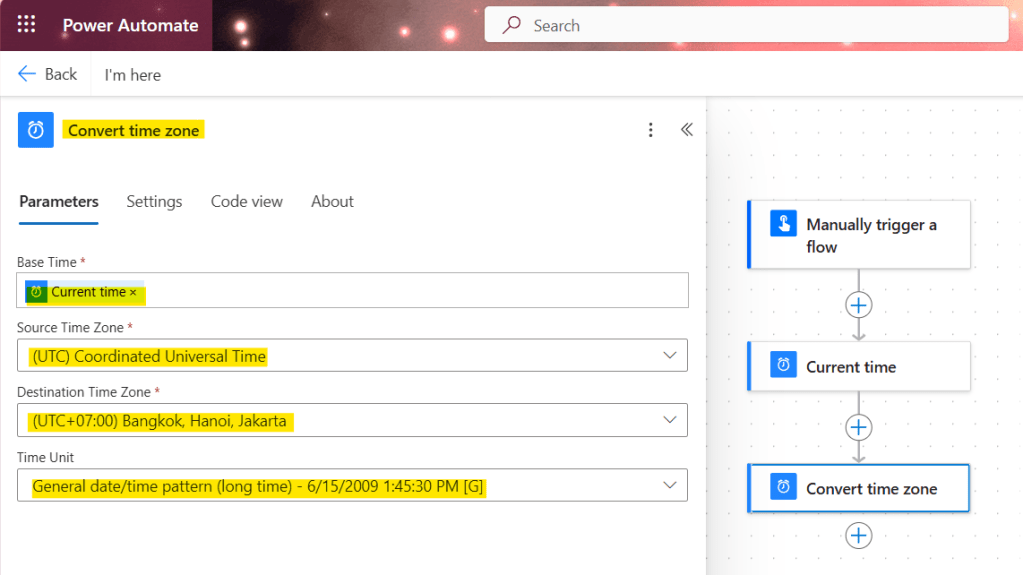
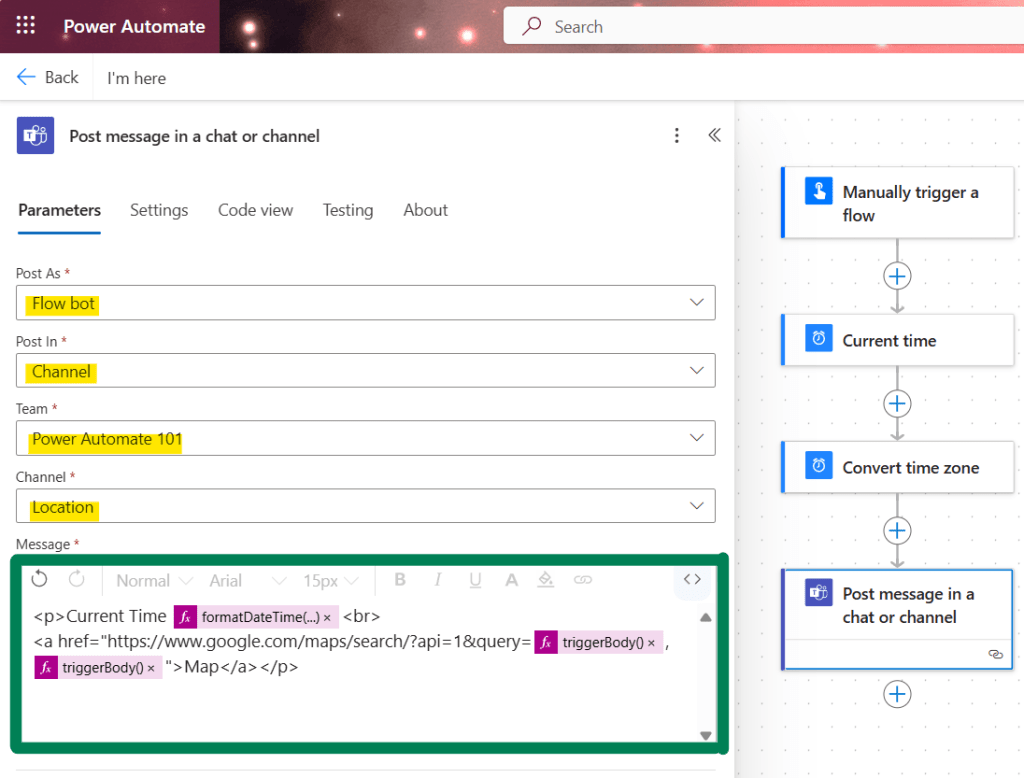
เพิ่ม action ‘Convert time zone’ แล้วใส่ dynamic content ‘Current time’ และเลือก destination time zone กับ time format ตามรูป
เพิ่ม action ‘Post message in a chat or channel’ เลือก post as, post in, team, channel และ message ตามรูปและ code block ด้านล่าง
<p>Current Time @{formatDateTime(body('Convert_time_zone'),'g')}<br>
<a href="https://www.google.com/maps/search/?api=1&query=@{triggerBody()['location']['coordinates']['latitude']},@{triggerBody()['location']['coordinates']['longitude']}">Map</a></p>
ใน code block นี้ แสดงให้เห็น ตำแหน่งใน Google Map โดยใช้พิกัด latitude และ longitude ซึ่งเราแทนที่ด้วย dynamic content ที่ได้จาก trigger ขณะที่กดปุ่ม เพื่อนๆสามารถดู Maps URLs Guide ได้ที่นี่
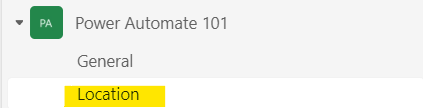
รันโฟลว์แล้วตรวจสอบผลลัพธ์ที่ Microsoft team channel
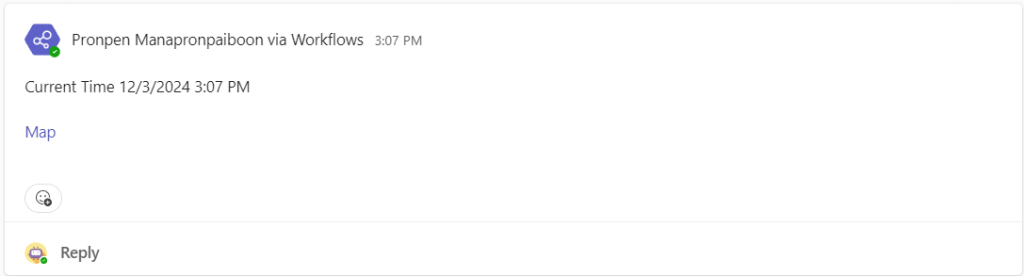
Flow bot จะส่งข้อความพร้อม hyperlink ของตำแหน่งใน Google Map มาให้
รูปภาพด้านล่างแสดงตำแหน่ง Google Map ของสถานที่ต่างๆ 3 แห่ง
รูปแรกแสดงตำแหน่งบ้านของดิฉันเองค่ะ 😂 (censored for privacy)
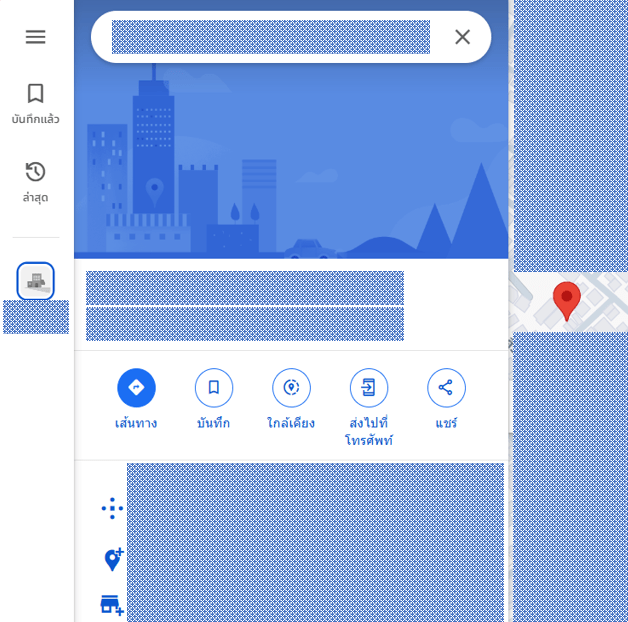
รูปที่สองแสดงตำแหน่งใกล้ๆ กับรถไฟฟ้า BTS ซึ่งกดปุ่มขณะเดินทางด้วย BTS จากสถานีอโศกไปสถานีนานา
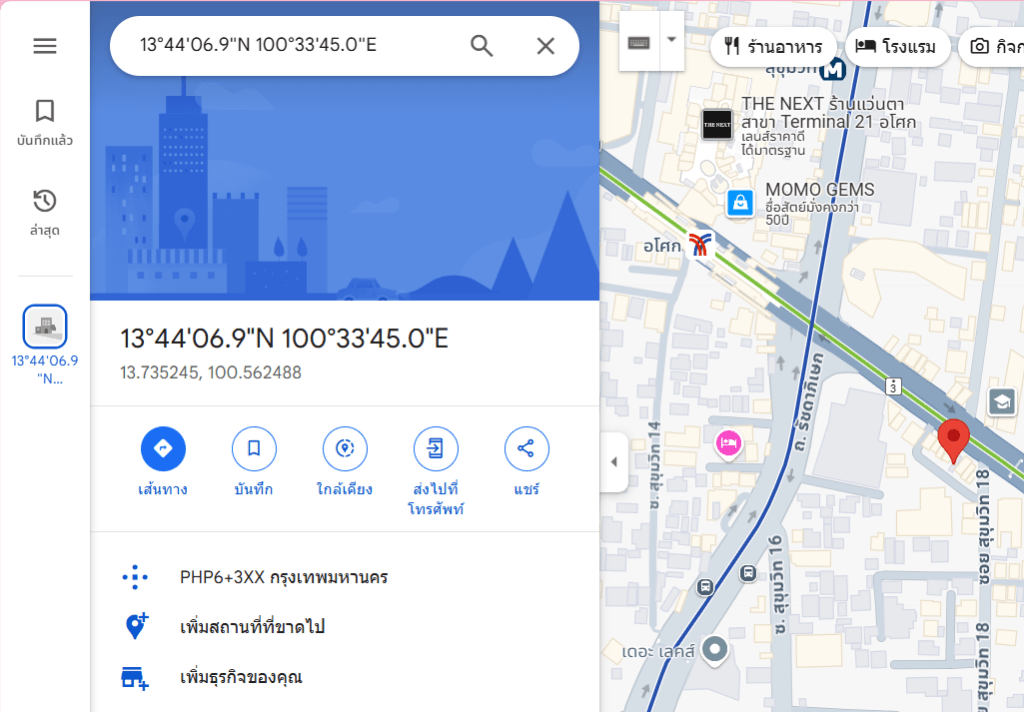
รูปที่สามแสดงตำแหน่งใกล้กับหอศิลปวัฒนธรรมแห่งกรุงเทพมหานคร (BACC) ซึ่งกดปุ่มขณะนั่งอยู่ในหอศิลป์
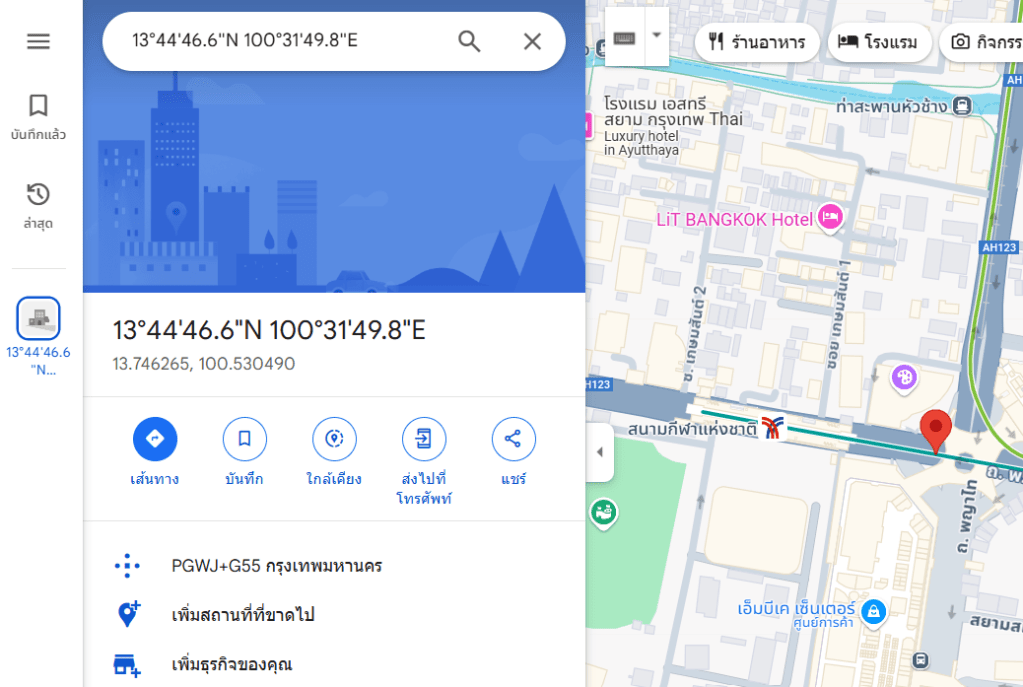
หวังว่าบทความนี้จะเป็นประโยชน์สำหรับผู้เริ่มต้นใช้งาน Power Automate นะคะ แล้วพบกันใหม่ Happy Automating!! 😁
 PenBot_RPA
Leave a comment