

Control Structure: Sequence
Flow Type: Instant Cloud Flow
บทความนี้เขียนขึ้นเพื่อให้ผู้เริ่มใช้งาน Power Automate Cloud รู้จักกับ Template ที่สามารถหยิบไปใช้งานได้ทันที และได้เรียนรู้เกี่ยวกับรูปแบบการทำงานของคอมพิวเตอร์แบบ Sequence (การทำงานตามลำดับ) และรู้จักกับประเภทของ Cloud flow แบบ Instant (ทำงานจากการคลิกตามที่เราต้องการ)
ไปที่ https://make.powerautomate.com/ คลิก Templates แล้วพิมพ์คำว่า ‘save my location’ ในช่อง search จากนั้นคลิก ‘Save my location to Google Sheet’ ตามรูปภาพด้านล่าง

อ่านคำอธิบายแล้วทำตาม
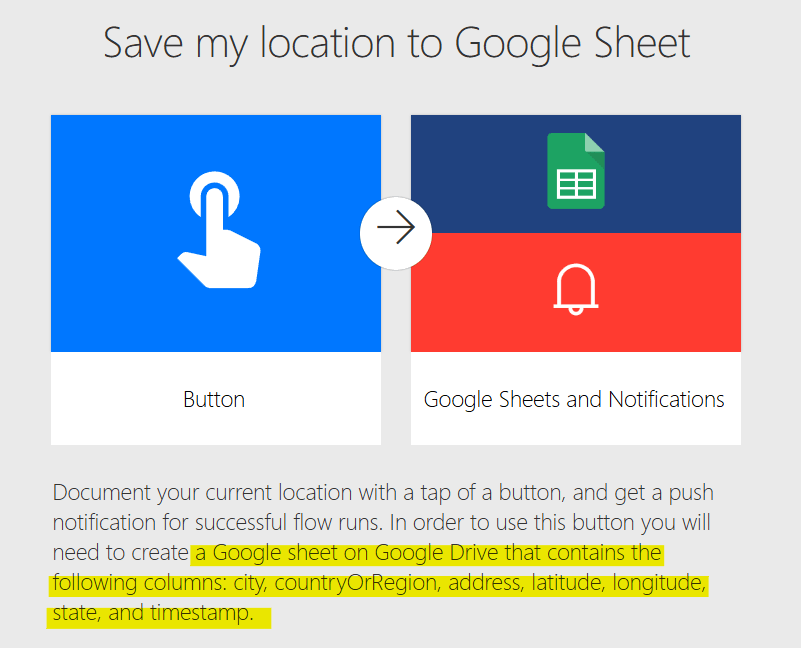
สร้าง Google Sheet ประกอบด้วย column
- city
- countryOrRegion
- address
- latitude
- longitude
- state
- timestamp

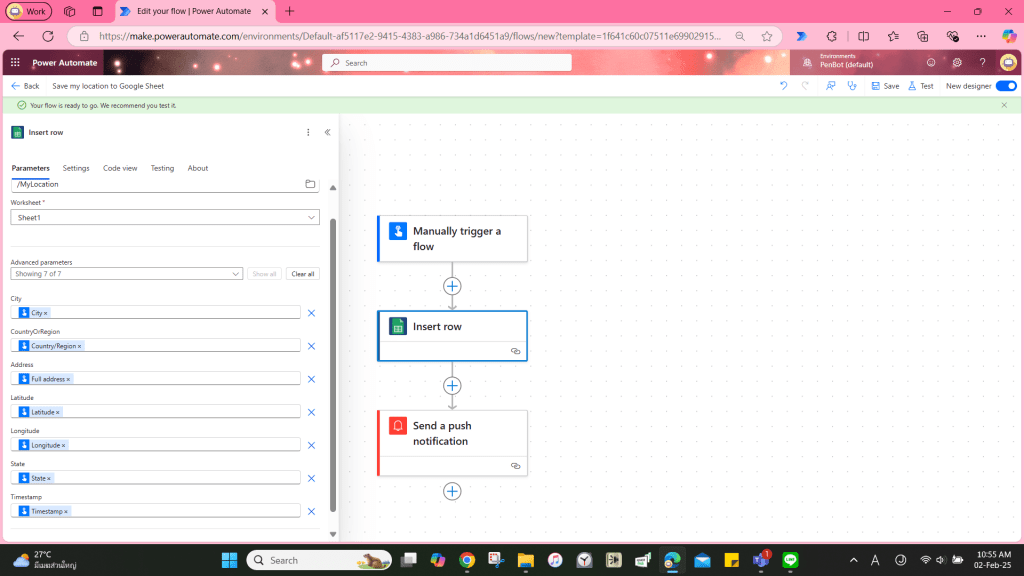
ใส่ parameter ‘File’ และ ‘Worksheet’

หลังจากใส่ ‘File’ และ ‘Sheet’ แล้ว Power Automate จะดึงข้อมูลชื่อ column และใส่ dynamic content ให้อัตโนมัติ แต่เราต้องลบ item ที่เกินมาตามรูปด้านล่าง:

Save แล้วทดสอบ
Test the flow
ผลลัพธ์จะแสดงตามรูปด้านล่าง (censored for privacy)

 PenBot_RPA
Leave a comment