

การเพิ่มข้อมูลใน SharePoint list จาก Excel สามารถทำได้หลายวิธี แต่ละวิธีก็มีข้อดีข้อเสียแตกต่างกันไป ในบทความนี้เราจะนำเสนอ 3 วิธี คือ
- Copy & Paste โดยตรง
- ใช้ Power Automate Cloud
- ใช้ Power Automate Desktop
ในที่นี้เราจะใช้ Excel dataset ที่มีข้อมูล 20 แถว + 1 column header

1. Copy & Paste โดยตรง
Skill Level: ไม่ต้องเขียนโค้ด
Time Consumption: ใช้เวลาน้อย
Preparation: สร้าง SharePoint List และ column header
1.1 สร้าง SharePoint List

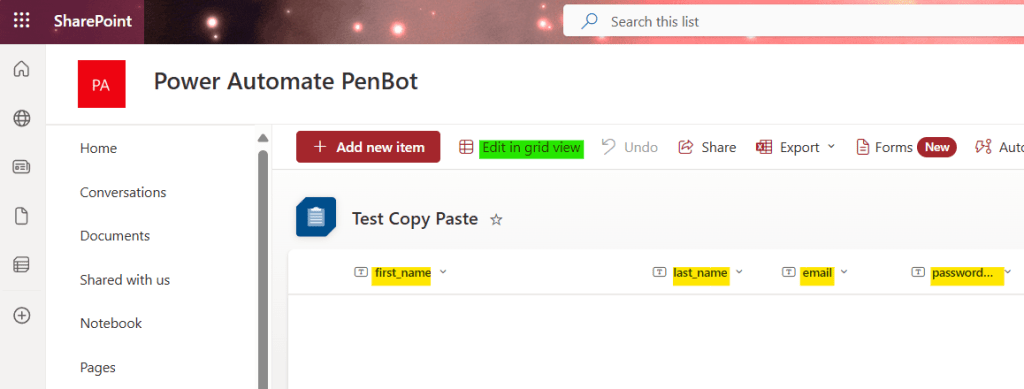
1.2 สร้าง column ตามชื่อ column ในไฟล์ Excel แล้วกด “Edit in grid view”
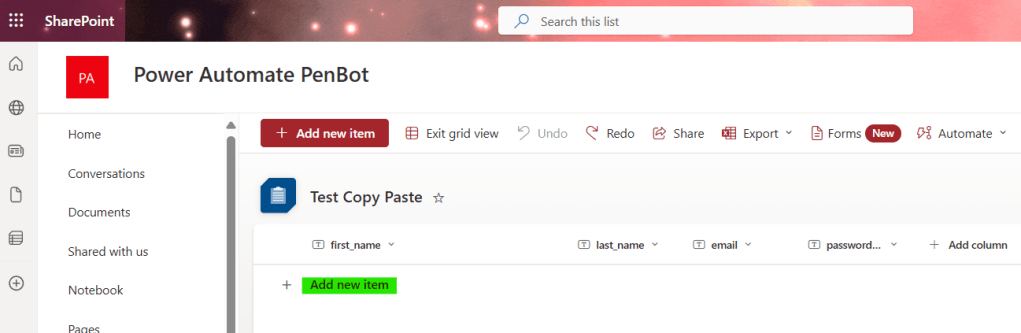
1.3 กด “Add new item”
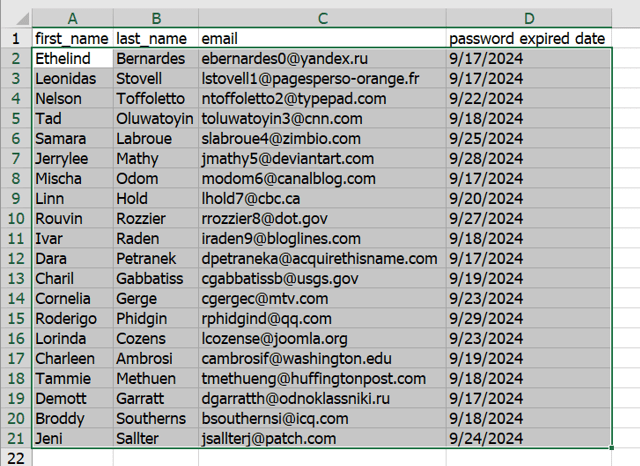
1.4 Copy (Ctrl+c) ข้อมูลจาก Excel (ไม่ต้องเลือก column header)
1.5 เลือกแถวใน SharePoint List
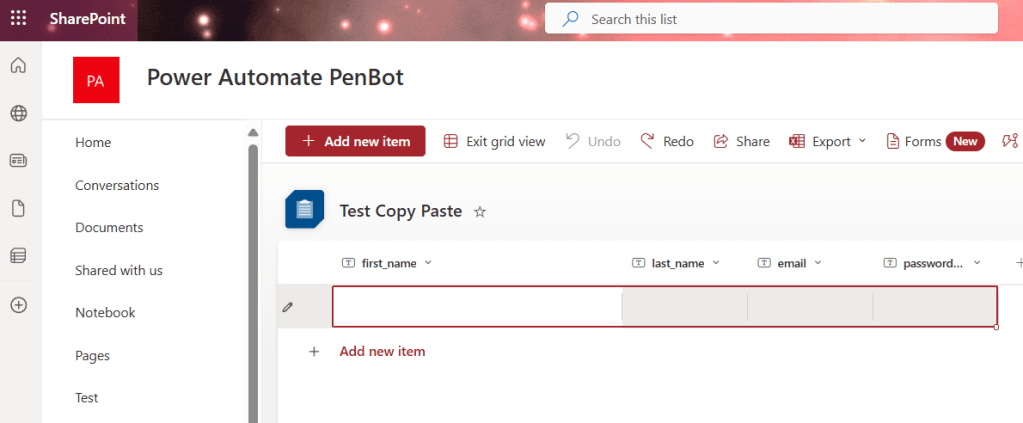
1.6 กด Paste (Ctrl+v) แล้วกด “Exit Grid view”

2. ใช้ Power Automate Desktop – Screen Recording
Skill Level: ไม่ต้องเขียนโค้ด
Time Consumption: ใช้เวลานาน
Preparation: สร้าง SharePoint List และ column header
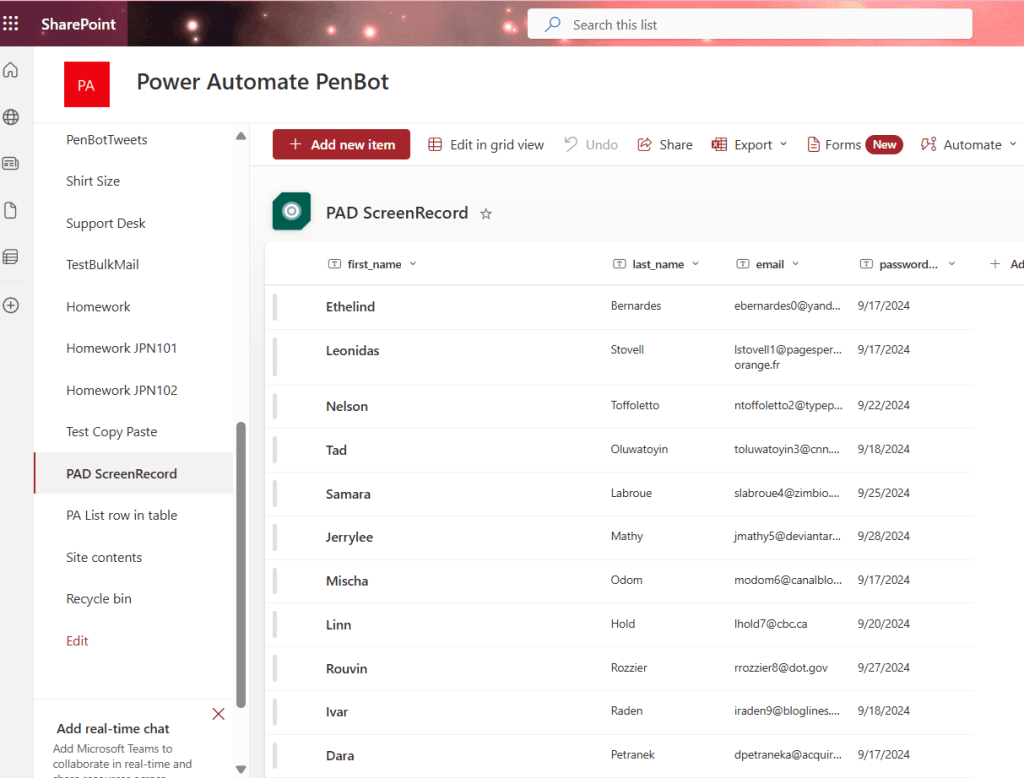
2.1 สร้าง SharePoint List และ สร้าง column ตามชื่อ column ในไฟล์ Excel
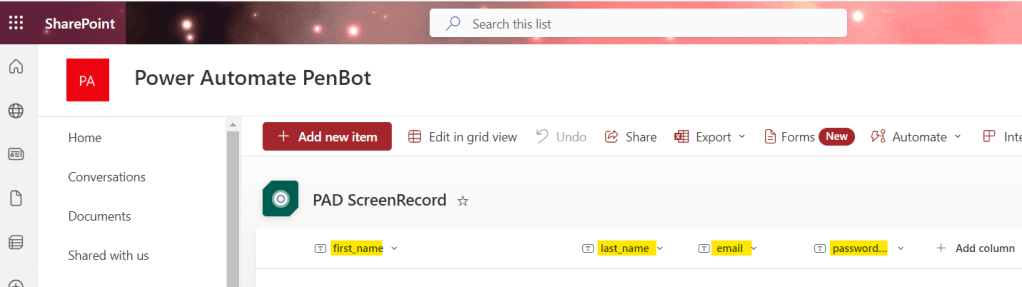
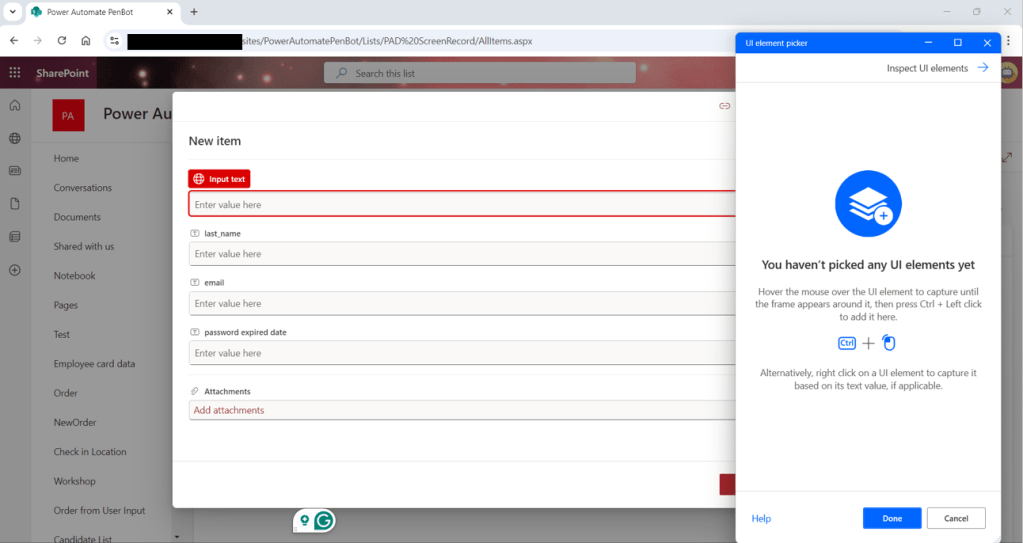
2.2 สร้าง Power Automate Desktop flow แล้วใช้ Record screen คลิก “Add new item” ที่ SharePoint

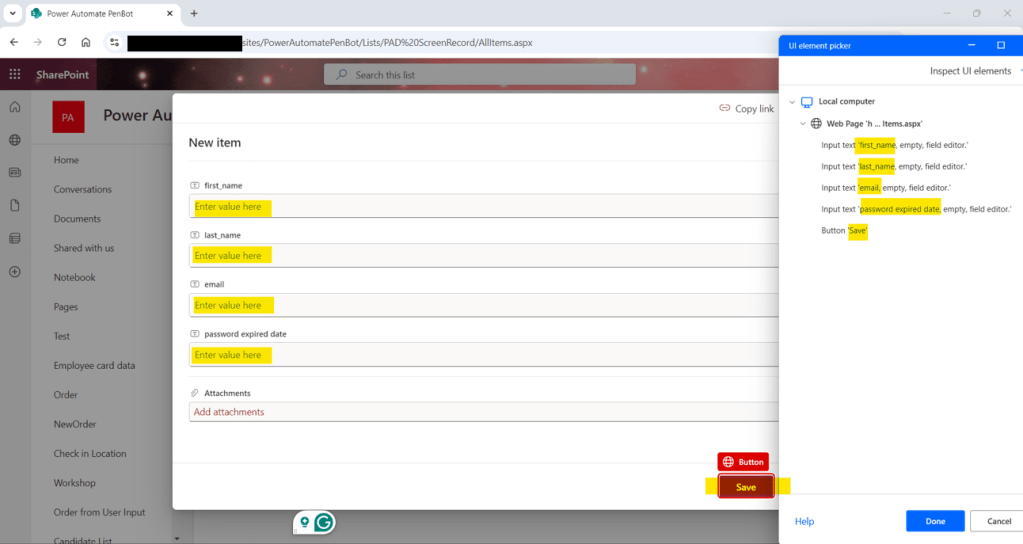
2.3 กด Record text input แต่ละ field ใน SharePoint
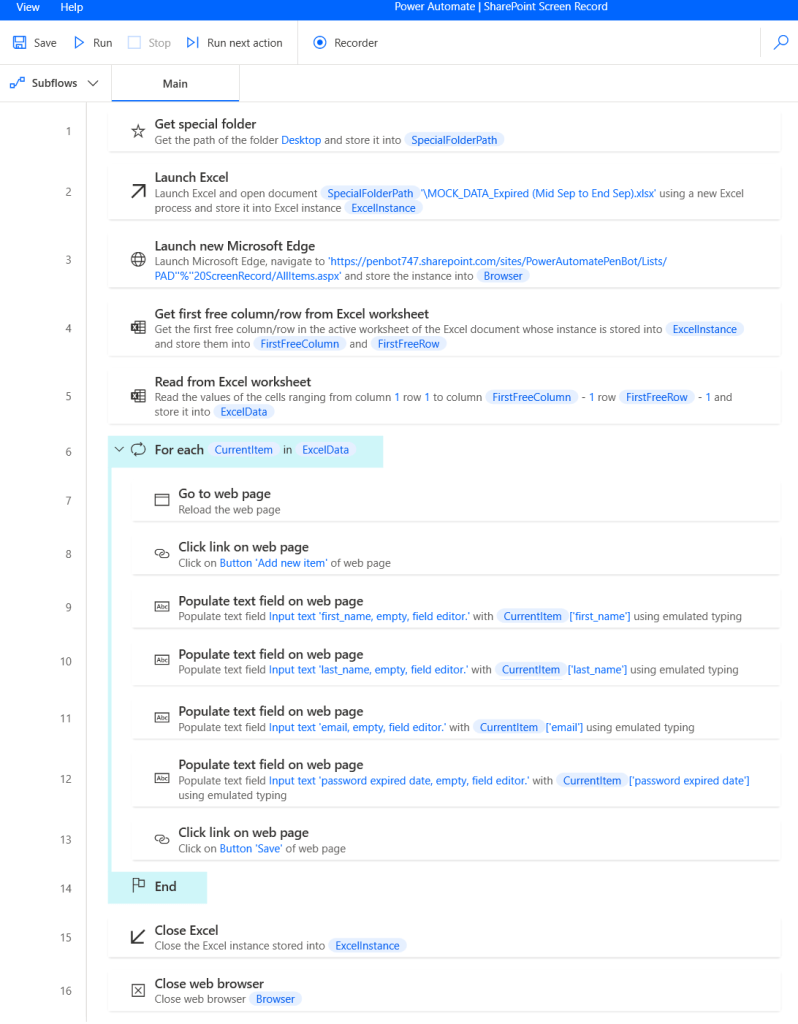
2.4 Run desktop flow
3. ใช้ Power Automate Cloud – List
Skill Level: ไม่ต้องเขียนโค้ด
Time Consumption: ใช้เวลาน้อย
Preparation: สร้าง SharePoint List และ column header, Upload ไฟล์ Excel ไปที่ cloud และทำให้เป็น data table
3.1 สร้าง SharePoint List และ สร้าง column ตามชื่อ column ในไฟล์ Excel
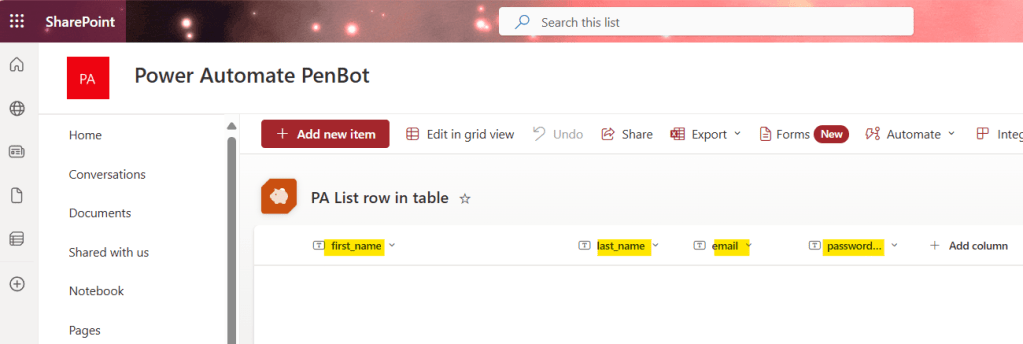
3.2 Upload ไฟล์ Excel ไปที่ cloud

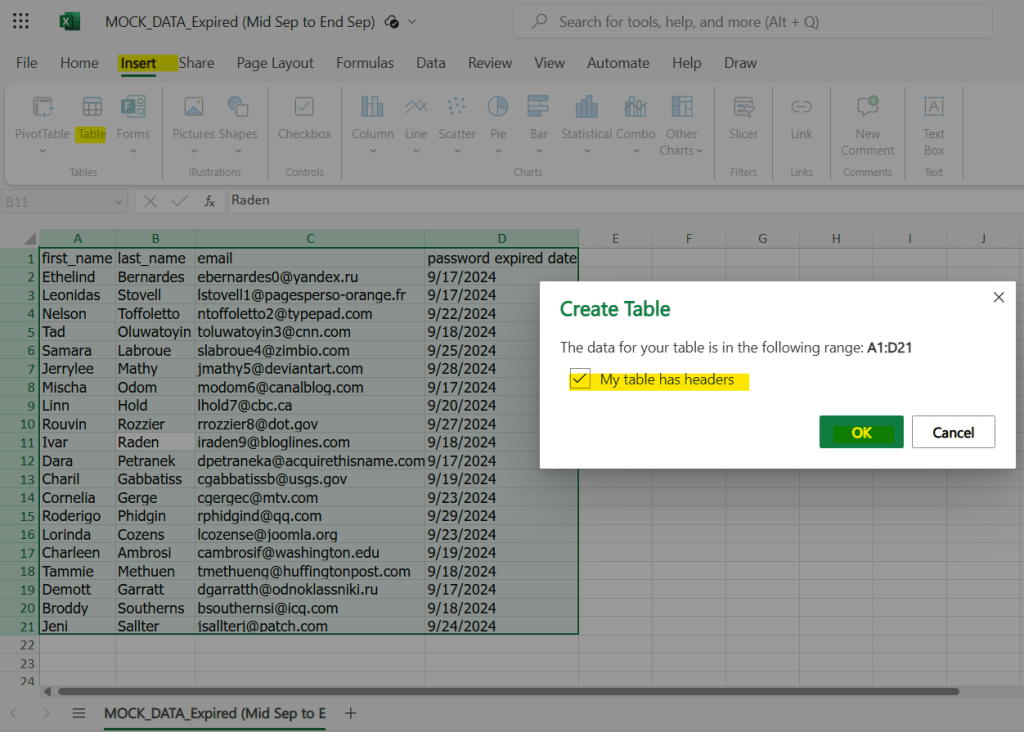
3.3 เปิด Excel แล้ว insert table
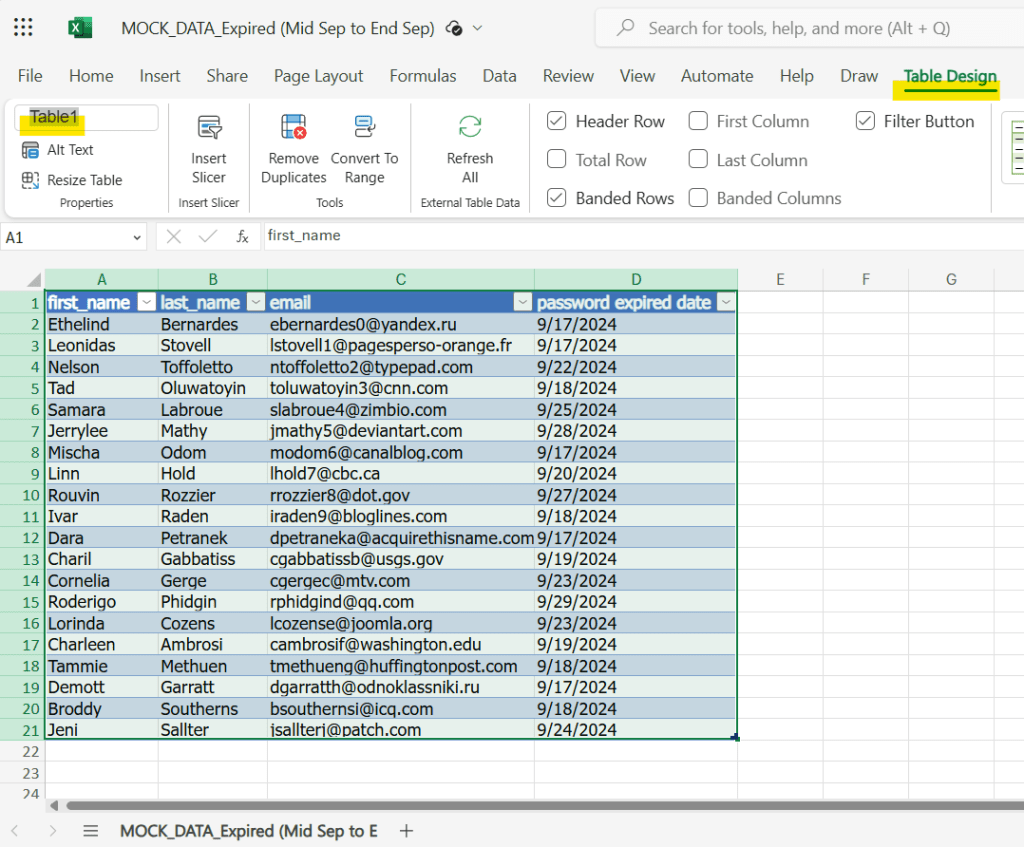
3.4 สามารถ rename ชื่อ table ได้ หรือจะใช้ชื่อ default ที่ Excel ตั้งให้ก็ได้
3.5 สร้าง Power Automate Cloud flow

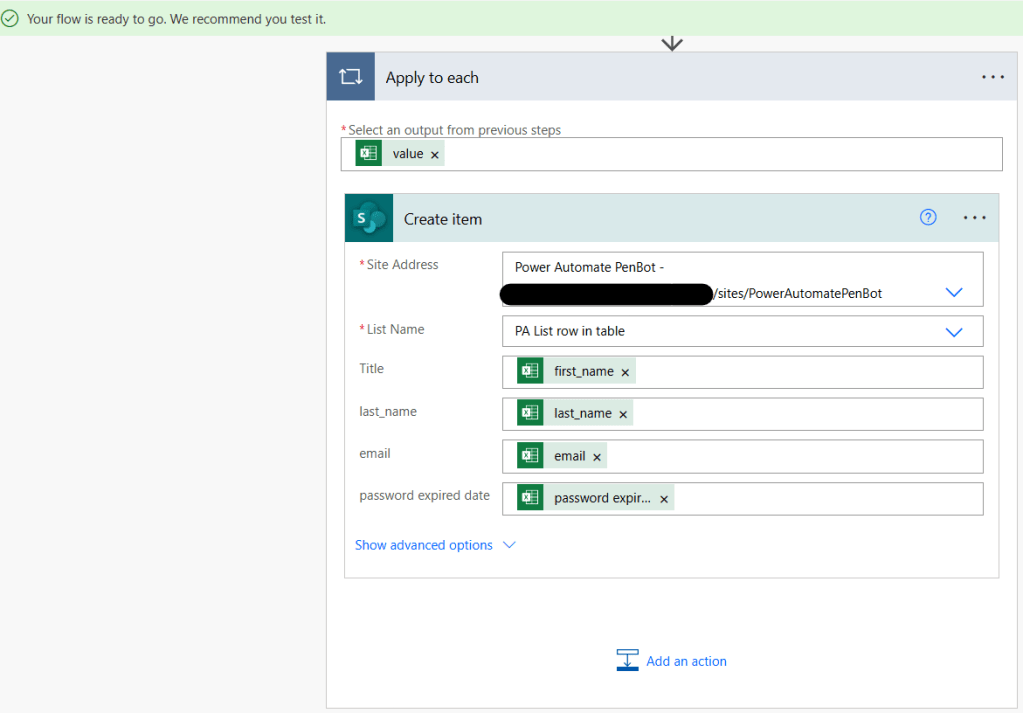
3.6 Run cloud flow
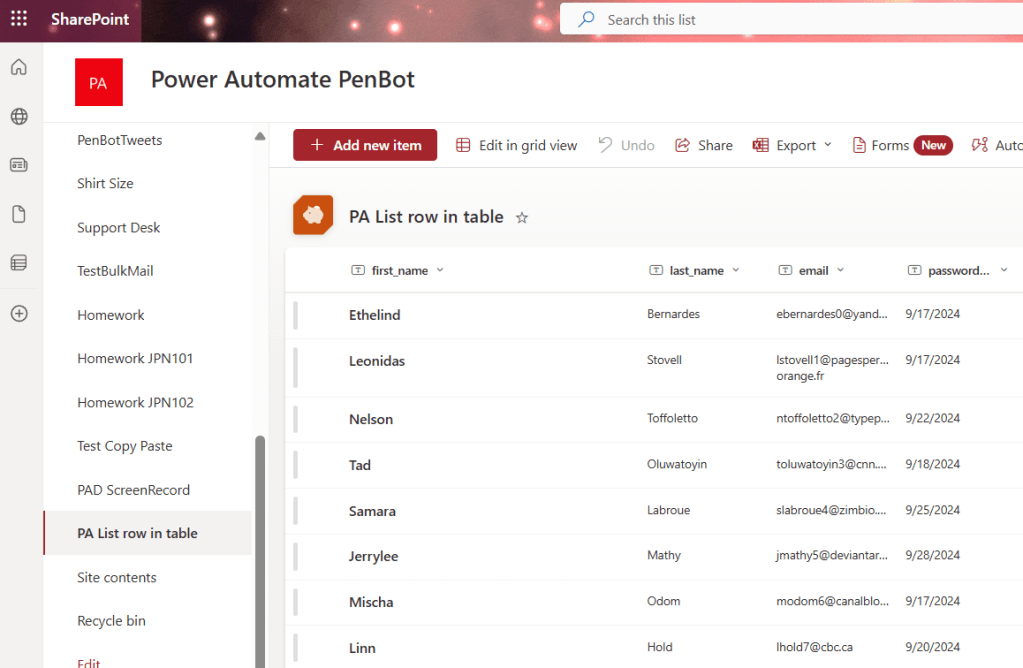
แต่ละวิธีมีข้อดีข้อเสียที่แตกต่างกัน ลองดูว่างานของเราเหมาะกับวิธีไหนที่สุดแล้วทำตามได้เลย
Video
 PenBot_RPA
Leave a comment