

ในบทความนี้เราจะหา week number โดยใช้วิธีของ ISO 8601 หรือที่รู้จักกันในชื่อ European week numbering system.
ระบบนี้จะหา week number โดยนับเริ่มที่วันจันทร์ถึงวันอาทิตย์
มี 2 วิธีที่สามารถหา week number คือ:
- ใช้ Python Script
- ใช้ Excel function
วิธีที่ 1 ใช้ Python Script
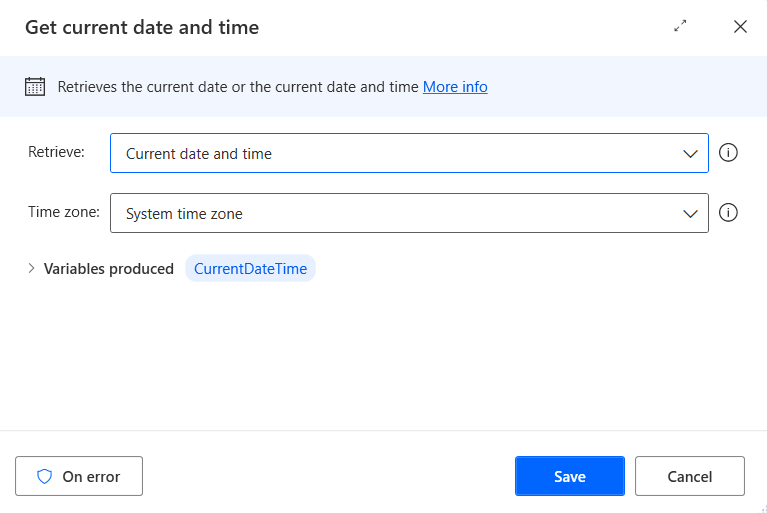
Get current date and time
ใช้คำสั่ง “Get current date and time” เพื่อหาวันที่ปัจจุบัน คำสั่งนี้จะเก็บค่าไว้ในตัวแปรชื่อ “CurrentDateTime”.
Run Python script
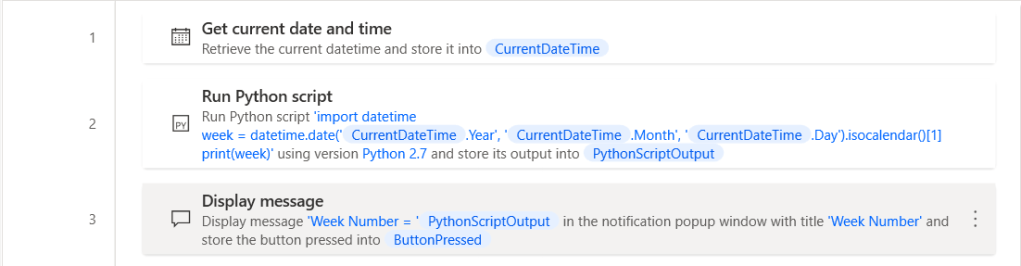
ใช้คำสั่ง “Run Python script” แล้ววางโค้ดด้านล่างใน parameter “Python script to run”
import datetime
week = datetime.date(%CurrentDateTime.Year%, %CurrentDateTime.Month%, %CurrentDateTime.Day%).isocalendar()[1]
print(week)
Result 1

Completed Flow 1
วิธีที่ 2 ใช้ Excel function
Launch Excel
ใช้คำสั่ง “Launch Excel” เพื่อเปิด Blank Excel blank

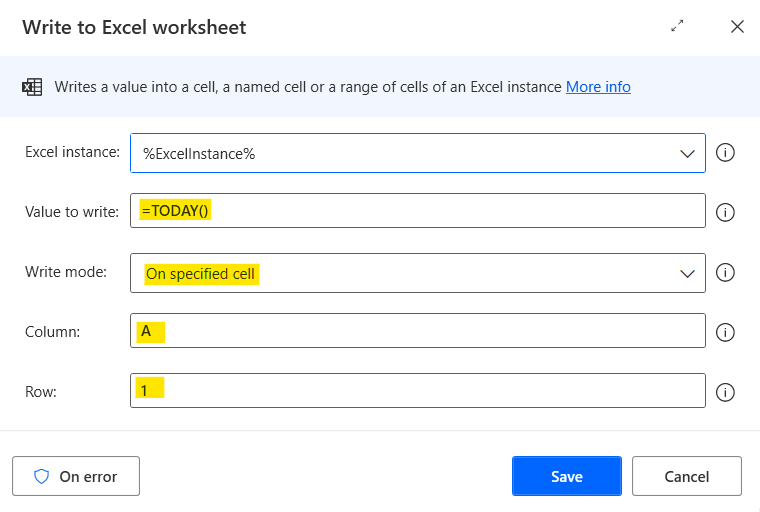
Write to Excel worksheet (Today)
เขียนสูตร TODAY() ใน cell A1 เพื่อหาวันที่ปัจจุบัน
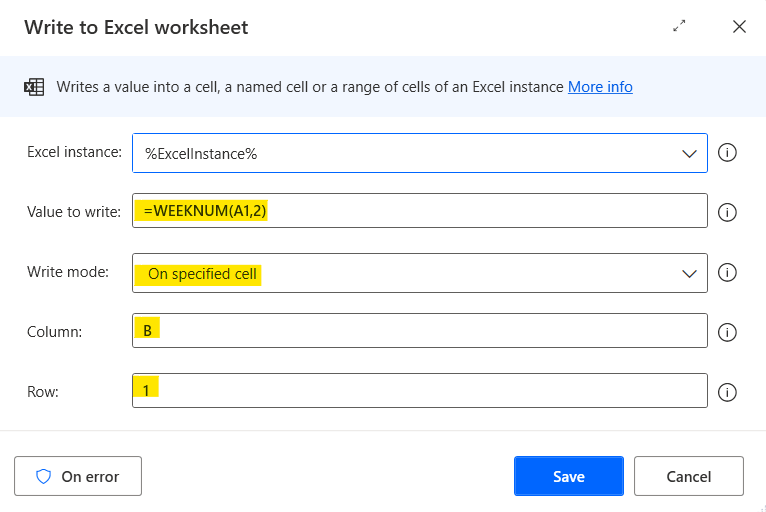
Write to Excel worksheet (Week Number)
เขียนสูตร WEEKNUM() ใน cell B1 โดยใช้ system 2 เพื่อหา week number แบบระบบที่ 2 ของวันที่ปัจจุบัน
สามารถอ่านบทความที่อธิบายเกี่ยวกับการใช้ฟังก์ชั่น WEEKNUM ที่นี่.
Read from Excel worksheet
อ่านค่าจากผลลัพธ์ที่ได้จากฟังก์ชั่น WEEKNUM() ใน Excel cell B1, แล้วเก็บไว้ในตัวแปรชื่อ “WeekNum” (ดูรูปด้านล่างประกอบ)

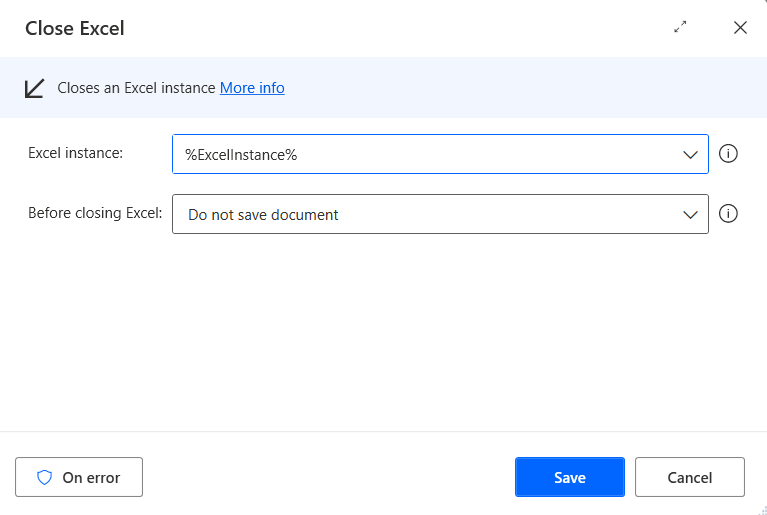
Close Excel
ปิด Excel โดยไม่ต้อง save
Power Automate Desktop จะเปิด Excel, เขียน Excel function ตามรูปด้านล่าง แล้วจะดึงค่าจาก Excel cell B2 ซึ่งก็คือ week number ของวันที่ปัจจุบัน

Result 2
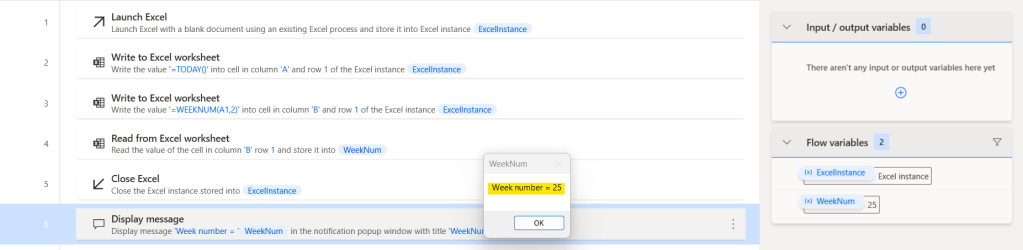
Completed Flow 2
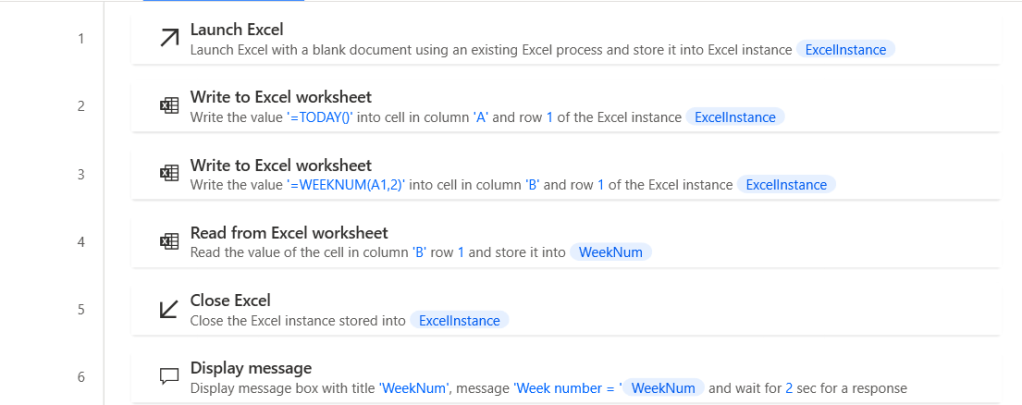
สามารถ copy source code ของบทความนี้ได้จาก link ด้านล่างแล้วนำไปวางที่ Workspace ของ Power Automate Desktop ได้เลย
Video
 PenBot_RPA
Leave a comment