

In this article, we will find the week number using the methodology specified in ISO 8601, commonly known as the European week numbering system.
Please note that this week numbering system considers the week to start on Monday and end on Sunday.
There are 2 ways to find the week number:
- Use Python Script
- Use an Excel function for a temporary calculation
Use Python Script
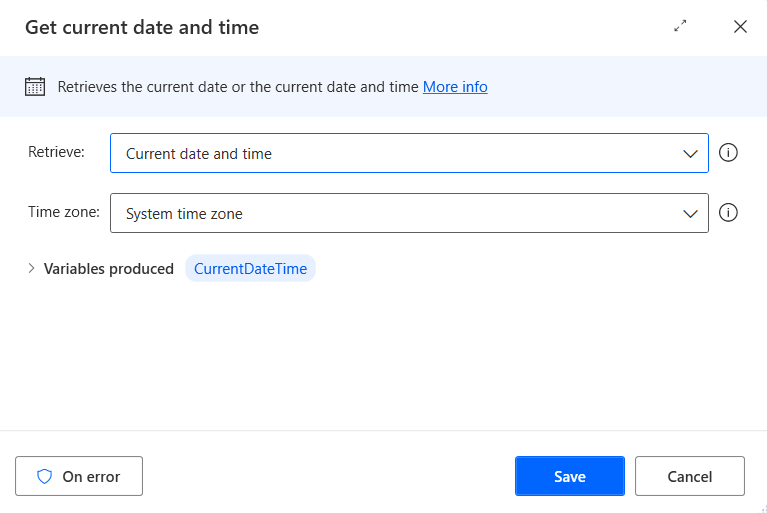
Get current date and time
Use the “Get current date and time” action to find the current date. This action will store the result in a variable named “CurrentDateTime”.
Run Python script
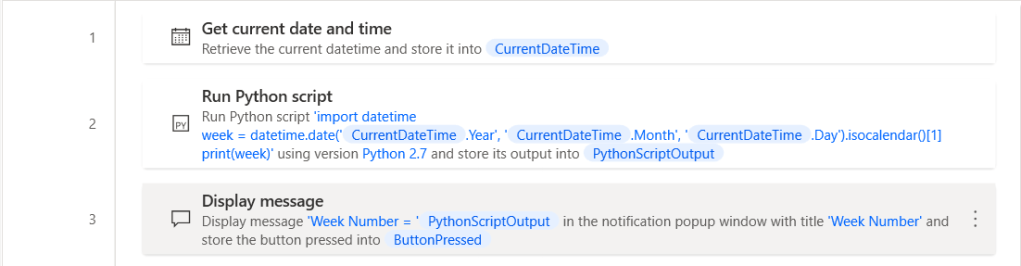
Use the “Run Python script” action and paste below code in “Python script to run” parameter.
import datetime
week = datetime.date(%CurrentDateTime.Year%, %CurrentDateTime.Month%, %CurrentDateTime.Day%).isocalendar()[1]
print(week)
Result 1

Completed Flow 1
Use an Excel function
Launch Excel
Use the “Launch Excel” action to open Excel blank document.

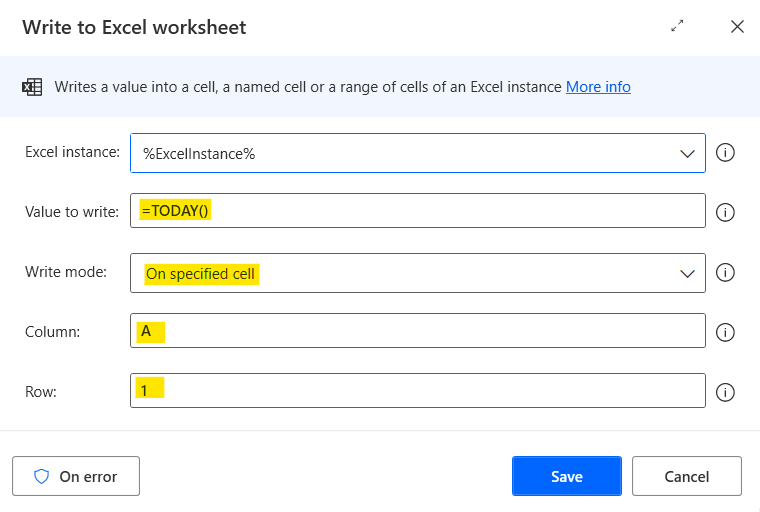
Write to Excel worksheet (Today)
Write formula TODAY() in cell A1 to find current date.
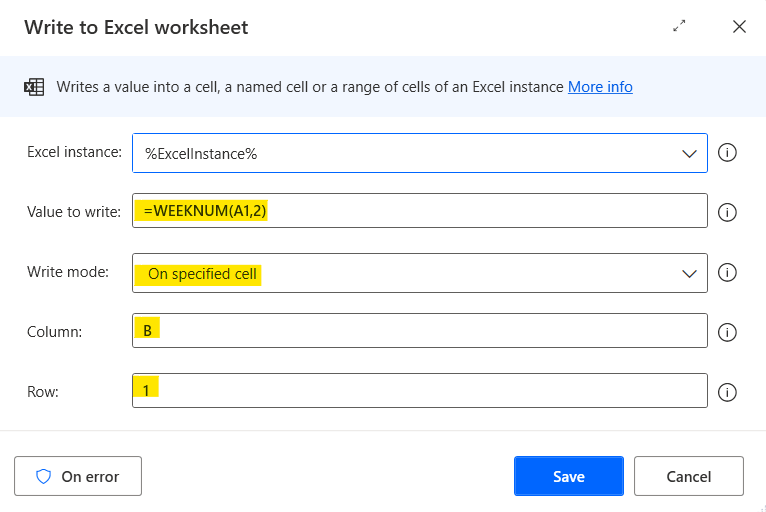
Write to Excel worksheet (Week Number)
Write formula WEEKNUM() in cell B1 using system 2 to find week number system 2 of current date.
You can see article describes the formula syntax and usage of the WEEKNUM function here.
Read from Excel worksheet
Read result from Excel calculation WEEKNUM() in Excel cell B1, and renamed the variable output to be “WeekNum”

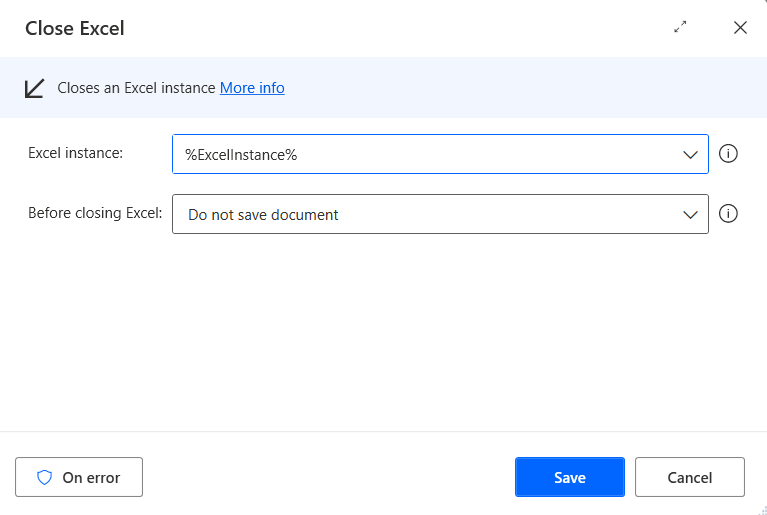
Close Excel
Close Excel without save
Power Automate Desktop will open Excel, write Excel function as per below image, and get value from Excel cell B2 which is week number.

Result 2
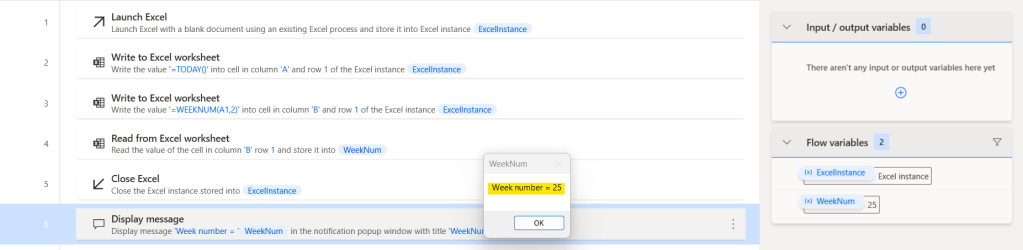
Completed Flow 2
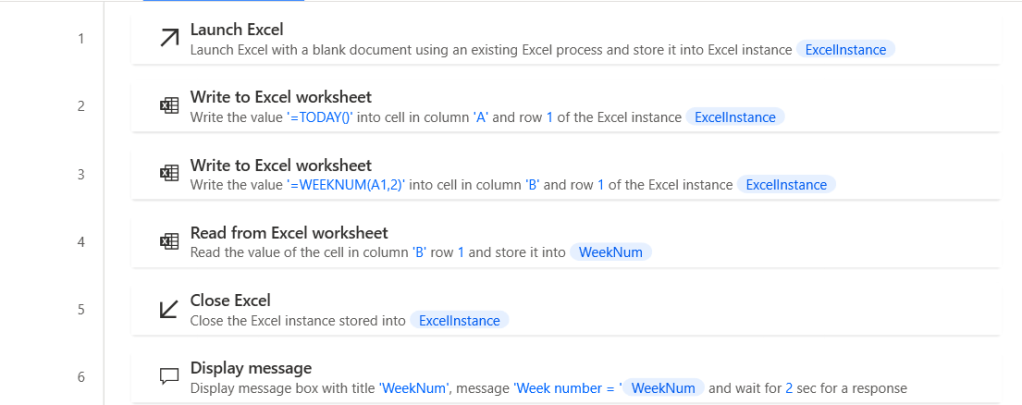
You can copy the source code of this article from below link and paste it into your Power Automate Desktop’s Workspace.
 PenBot_RPA
Leave a comment